Recommendation Systems With TensorFlow Recommenders Pt 3
Dec 15, 2021
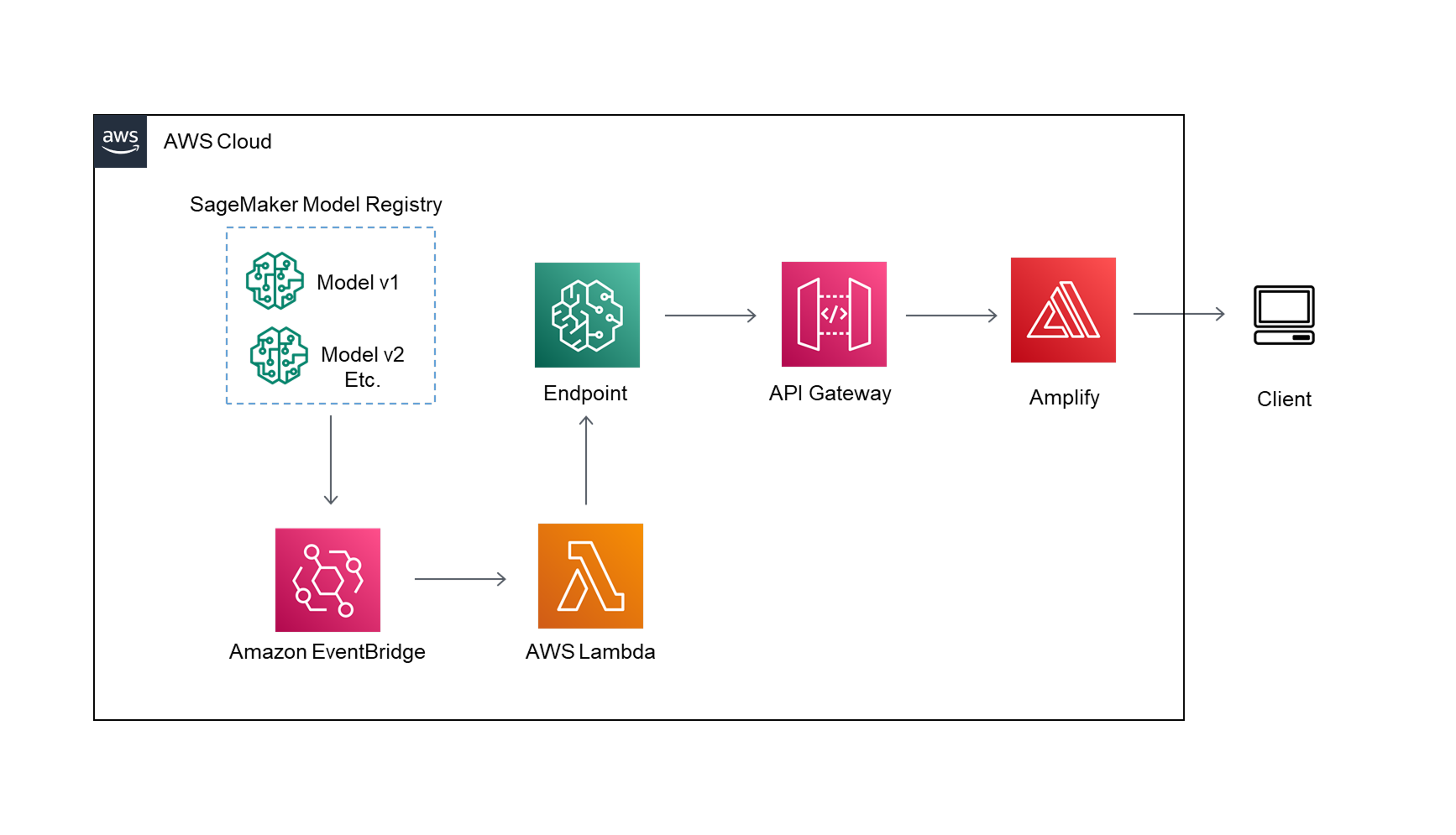
Part 3: Create The App And Deploy The Model To Production
In the final part of my AWS SageMaker and TensorFlow recommenders series I’ll take the models
that we have created in the first two sections and deploy them to production.
To deploy the model I’ll create the endpoint, API gateway, and frontend so my
recommendations can be accessed from anywhere.
For the endpoint I’ll use the brand new serverless endpoint that AWS unveiled at 2021 re:Invent.
Since this API will be used infrequently it is a good fit to keep my costs down. Before the serverless
endpoint was released I would have needed to create a lambda function to host my model serverlessly.
Note: at the time of writing this the serverless endpoint is still in preview mode, so some features
may be subject to change.
To automate endpoint updates based on model approval I set up an EventBridge to trigger a lambda function.
The lambda function checks to make sure the latest approved model is deployed, and if it isn’t the
function will update the endpoint.
The endpoint needs to communicate with an API gateway so the predictions can be used in the front end.
I created a simple react app using AWS Amplify to call the new API and serve the predictions.
All of the code for this project is on my GitHub:
GitHub Notebooks
The architecture diagram for part 3 is shown below.
Create The Endpoint
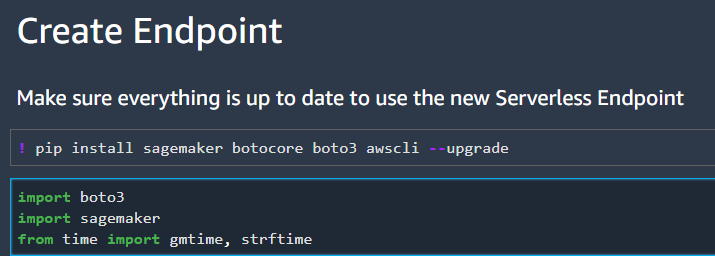
I’ll start by walking through how to set up the SageMaker serverless endpoint for the first time. First make sure that all of your packages (sagemaker, botocore, boto3, and awscli) are update to date. At the time of writing this Serverless endpoint feature is still in preview, so all of the packages must be updated to the most recent version.
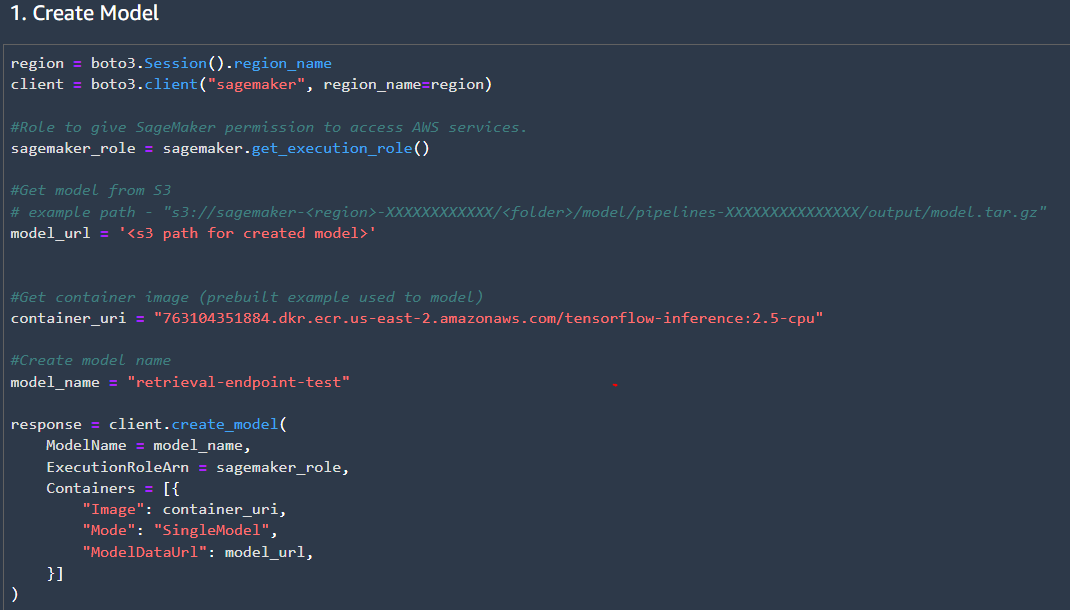
Next create a model from the model registry. I didn’t see a way to directly pull the latest model’s name from the registry, so I pulled the s3 model path instead and created a new model. For the container we can use the prebuilt TensorFlow 2.5 package without needing to install TensorFlow Recommenders (TFRS) because TFRS was only needed to create the model, and isn’t required for inference.
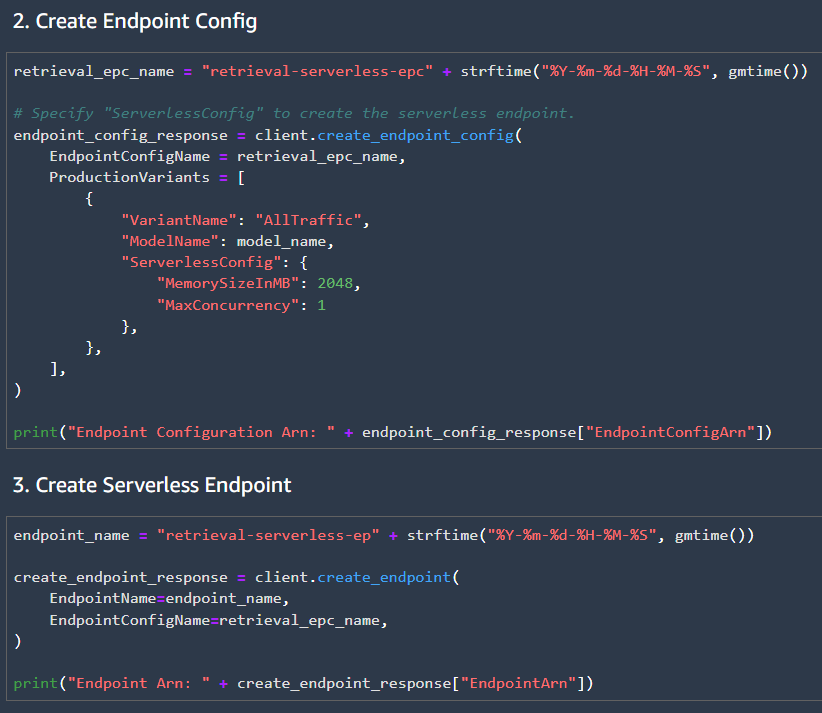
Then we can create the endpoint configuration and endpoint. The endpoint configuration specifies the model to be used, the endpoint type, memory size, and maximum concurrency. For this project I will set the maximum concurrency to 1, since the traffic for the API will be very low. Many more parameters can be set in the endpoint configuration such as adding multiple production model variants.
Finally test the endpoint locally by invoking the endpoint. Once the API for the endpoint is set up we can test final API using the requests library, and sending a post request to the API.
API Gateway Setup
Once the endpoint is set up, we can link it to an API Gateway, so our frontend can use the model to make predictions.
This blog post by AWS shows how to integrate the endpoint with the API gateway:
AWS API Gateway + Endpoint Mapping
For my project I skipped the mapping template and just passed a post request from the API to the endpoint. Then I
handled any of the formatting of the request in the frontend. I also had to enable CORS on the API Gateway wo it
would accept a POST request from my frontend.
Frontend Setup
I won’t go into too much detail about the frontend here. It is a pretty standard React app deployed using Amplify.
For the API requests I used the Axios package, and I used Material UI for the components. The frontend sends
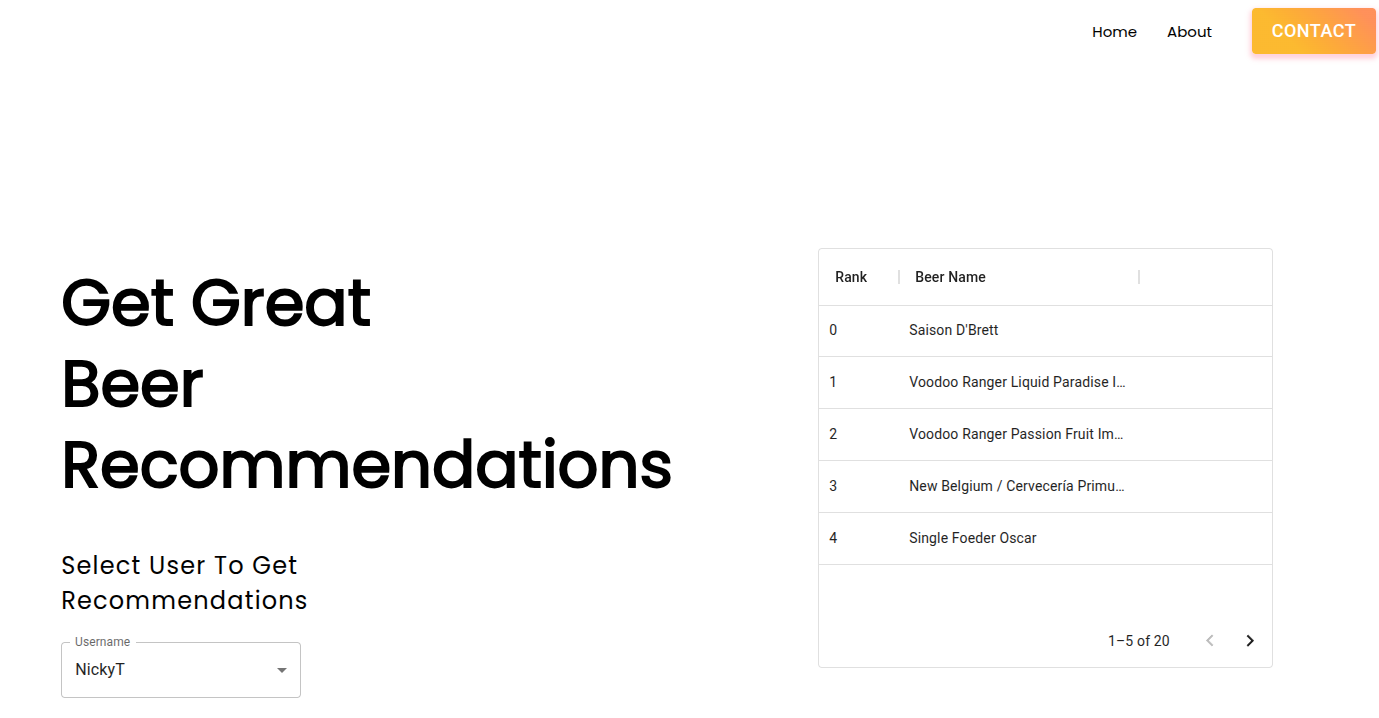
a request to the API based on the selected user then it displays the results in a table.
Maybe in the future I’ll update the frontend to handle new users + send that data to a database so the
recommendation system can be updated. However, it isn’t a priority for me currently.
Update Endpoint
To update the Serverless endpoint the lambda function checks which model is deployed, compares the deployed model to the newly approved model, then deploys the approved model if it is not already in production.
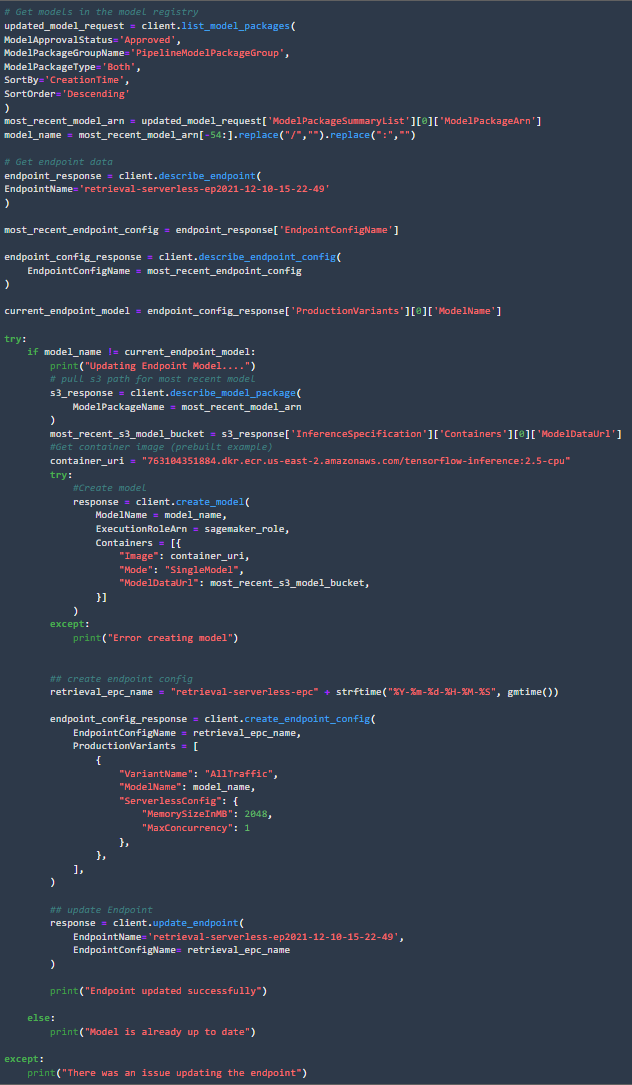
We use EventBridge to trigger the lambda function whenever a new model in the model package group is deployed.


Putting It All Together
This has been my longest series of posts yet, and I think the results turned out pretty good.
Midway through the project I reduced the complexity by not including the ranking model, but it
could be implemented in a similar fashion to the retrieval model.
To recap in this series of posts we:
- Created retrieval and ranking models to make beer recommendations
- Created a SageMaker Pipeline for data processing, model training, and model evaluation
- Automated re-training using eventbridge, lambda, and SageMaker Pipelines
- Created an endpoint for serving the model
- Automated updating the endpoint
- Created an API to invoke the endpoint from the frontend
- Created a simple frontend to display predictions for some users.
The full diagram for the project is shown below:
Site Screenshot
Note: website has been taken offline to save on costs
Conclusion
It took a lot of code and a variety of services, but we created an automated recommendation system with a working frontend. A lot can still be done to improve the pipeline, but hopefully this is a good start for anyone looking into creating a recommendation system.