Homelab Foundation
May 25, 2026
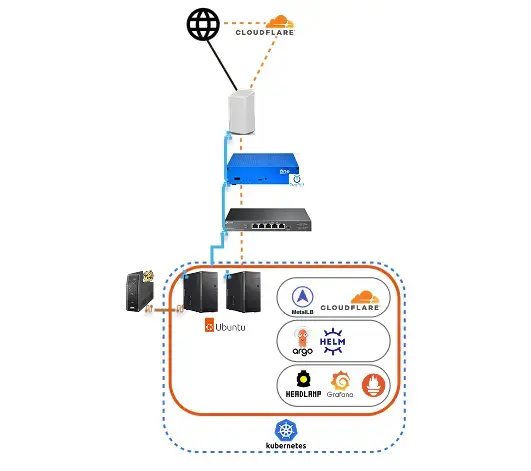
I've been hosting my personal site on my homelab for the last year with minimal issues. However, I'm looking to do more with my homelab, and I'm building a better foundation for future work. This foundation consists of expanding my homelab's hardware and updating my cluster with better application management tools.
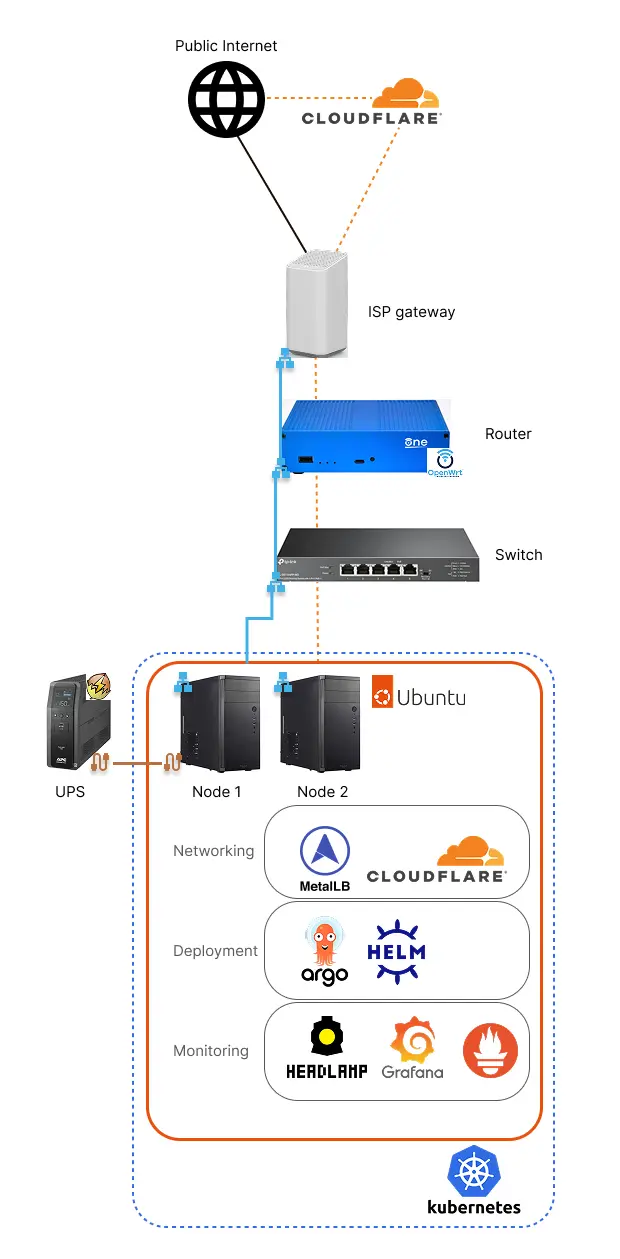
I'll walk you through some of the key upgrades that I've made. My latest homelab architecture is shown below:
The code I used to setup my homelab is also on my github
Physical Setup
Hardware
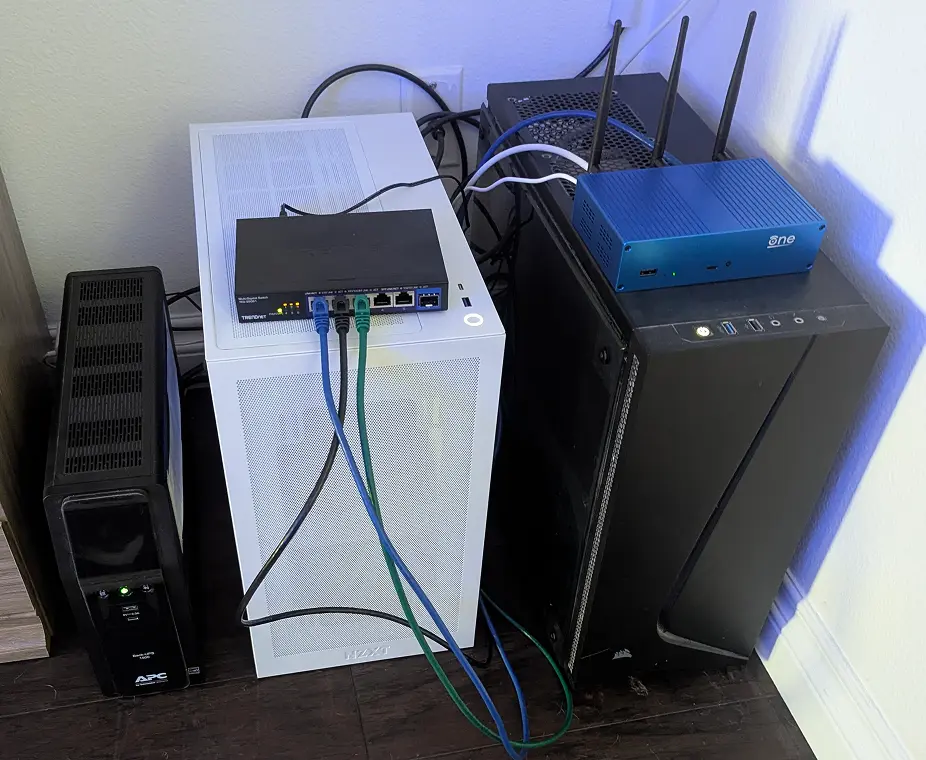
First, I've added a new router that supports OpenWRT with the OpenWRT One router. OpenWRT is an open source OS for routers that allows users to have full control over their network. Right now I'm just using some simple DNS features, but I plan on digging into more features later.
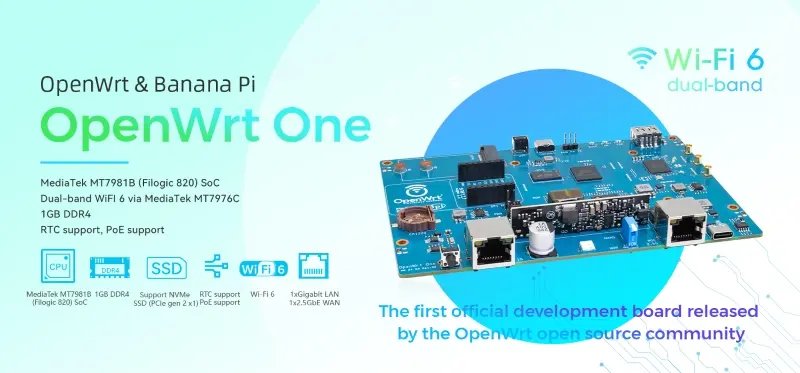
Another driving factor for picking up a router like the OpenWRT One with good open source support is the FCC router ban, that places restrictions on routers built outside of the United Stated. Since no routers are currently built in the US all new routers must go through additional DOD and homeland security review, which raises concerns about potential requirements for back doors being built into proprietary software for new router models. Any back door, state sponsored or not, poses a significant security risk.
Next, since the OpenWRT One router only has two network ports I also had to add a switch. I opted for a a switch with 5 2.5GbE ports and one 10GbE port to play around with later, potentially for a NAS when storage prices go down.
My biggest upgrade was adding another node to my cluster. I found some old 16Gb 2400hz ddr4 ram, and old SSD and a couple HDD, and in this market it would just be a shame to let that ram and storage go to waste (currently May 2026).
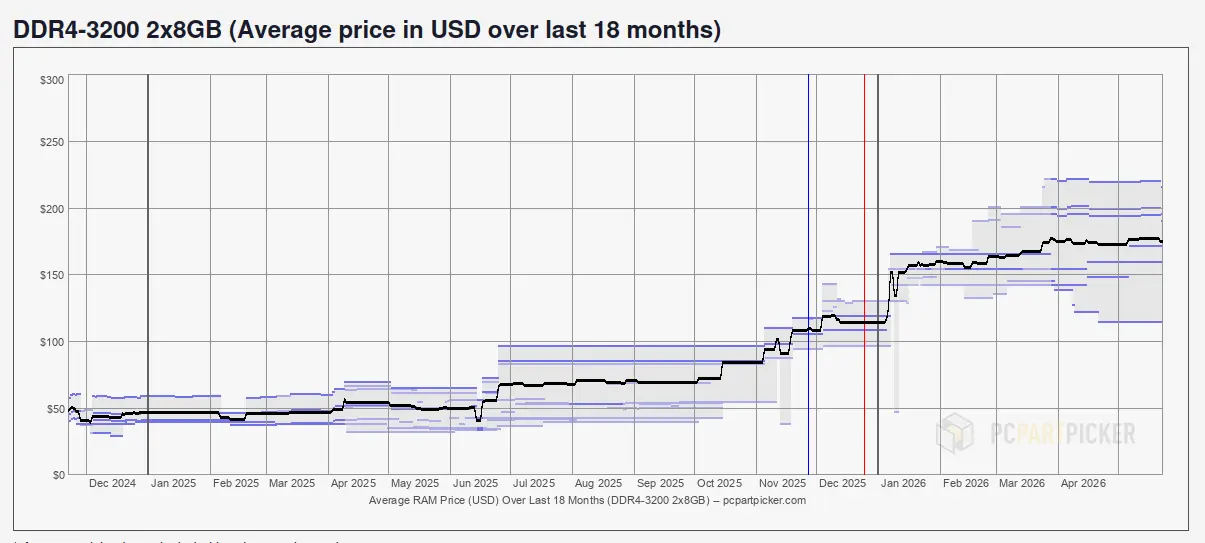
Ram prices have increased from around $50 to $150 for a last gen kit
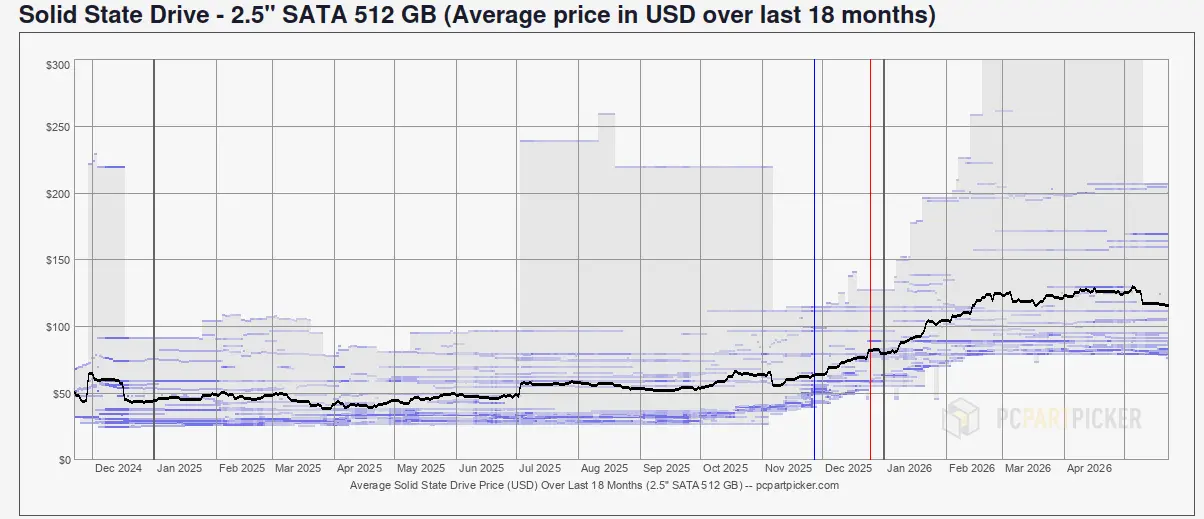
Storage prices have increased from around $50 to over $100 for standard ssd storage
Finally my old NVIDIA RTX 2070 graphics card was gathering dust, so I threw that into my new node as well.
The only remaining pieces missing were the cpu, motherboard, and case, which are some of the only pc parts to not be super inflated. I went with a Ryzen 5 5500 as a good option for the AM4 socket which supports the older DDR4 RAM and has a high core count. My hope is that RAM prices will fall in a few years, and I'll be able to bump up the RAM in this system to support the 5500's higher core count.
Software
Now that I have my router running open source software, the least I can do is expose my internal apps on my local network. Metallb makes this easy by assigning IPs to the Kuberenetes gateways that I setup. Then I can create the DNS records for the IPs that Metallb creates. This also better aligns my local setup with what a regular cloud kubernetes deployment might look like.
I've already been hosting my personal site with Cloudflare tunnels, so this isn't an upgrade, but I included it for completeness. Cloudflare tunnels run alongside my application and expose my application through the tunnel to the public internet. This will the approach I use for future apps unless I find something I like better.
Deployment
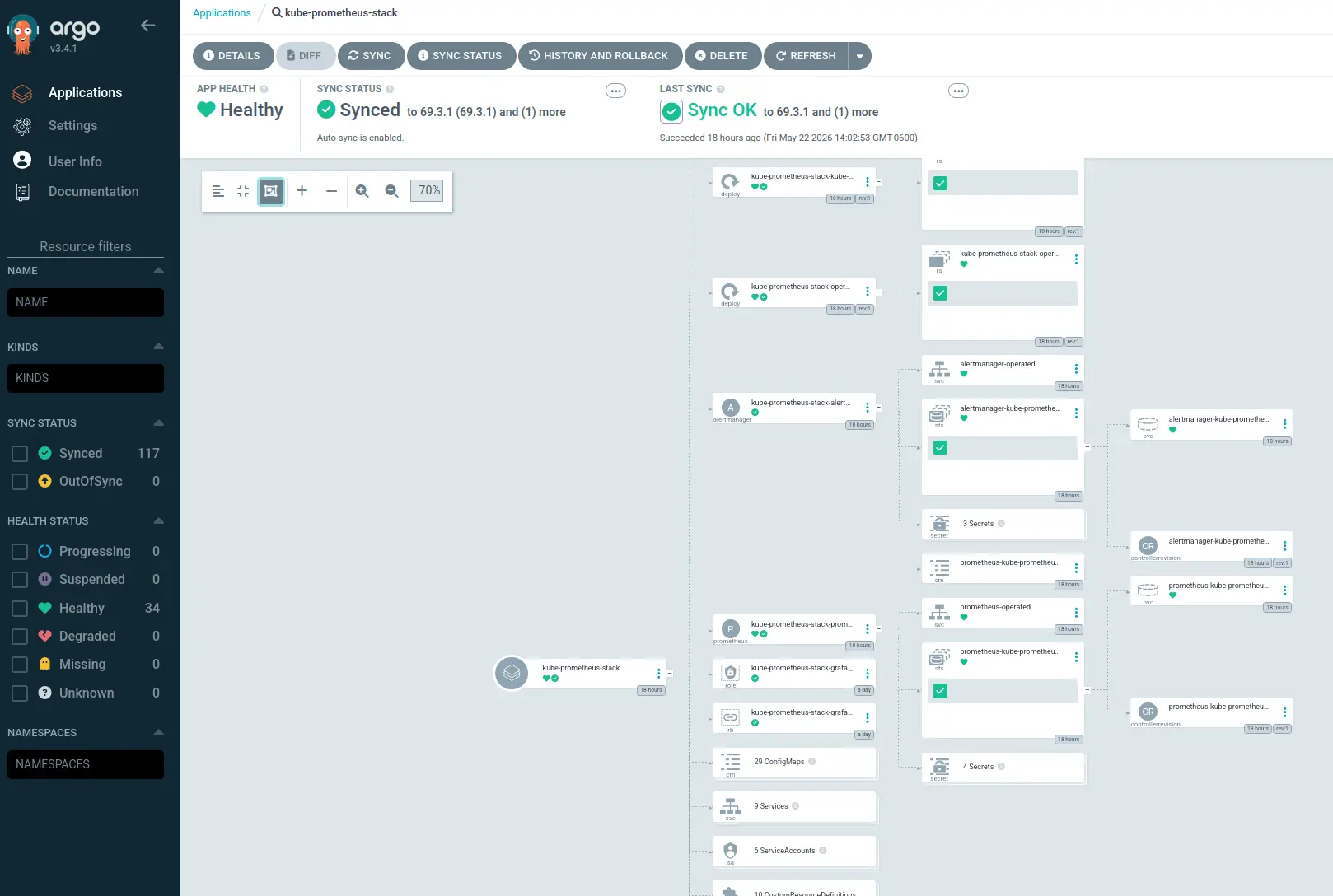
To manage the new applications and future applications I set up ArgoCD. Previously I only had my personal site deployed and it was easy enough to manage a couple kubernetes resource yaml files by hand, but it quickly can become an issue when I start setting up more apps. ArgoCD is a continuous delivery tool that uses Git repos as the source of truth for defining a desired application state. ArgoCD also gives me a single pane to manage all of my applications.
Helm charts can be used as the source of truth for ArgoCD, so I also created a helm chart for my personal site to make it easy to deploy and manage through ArgoCD.
Monitoring
For high level cluster monitoring I'm using Headlamp. It is pretty straightforward to setup, and can be ran as a desktop app that uses your kubectl config to connect to multiple clusters.

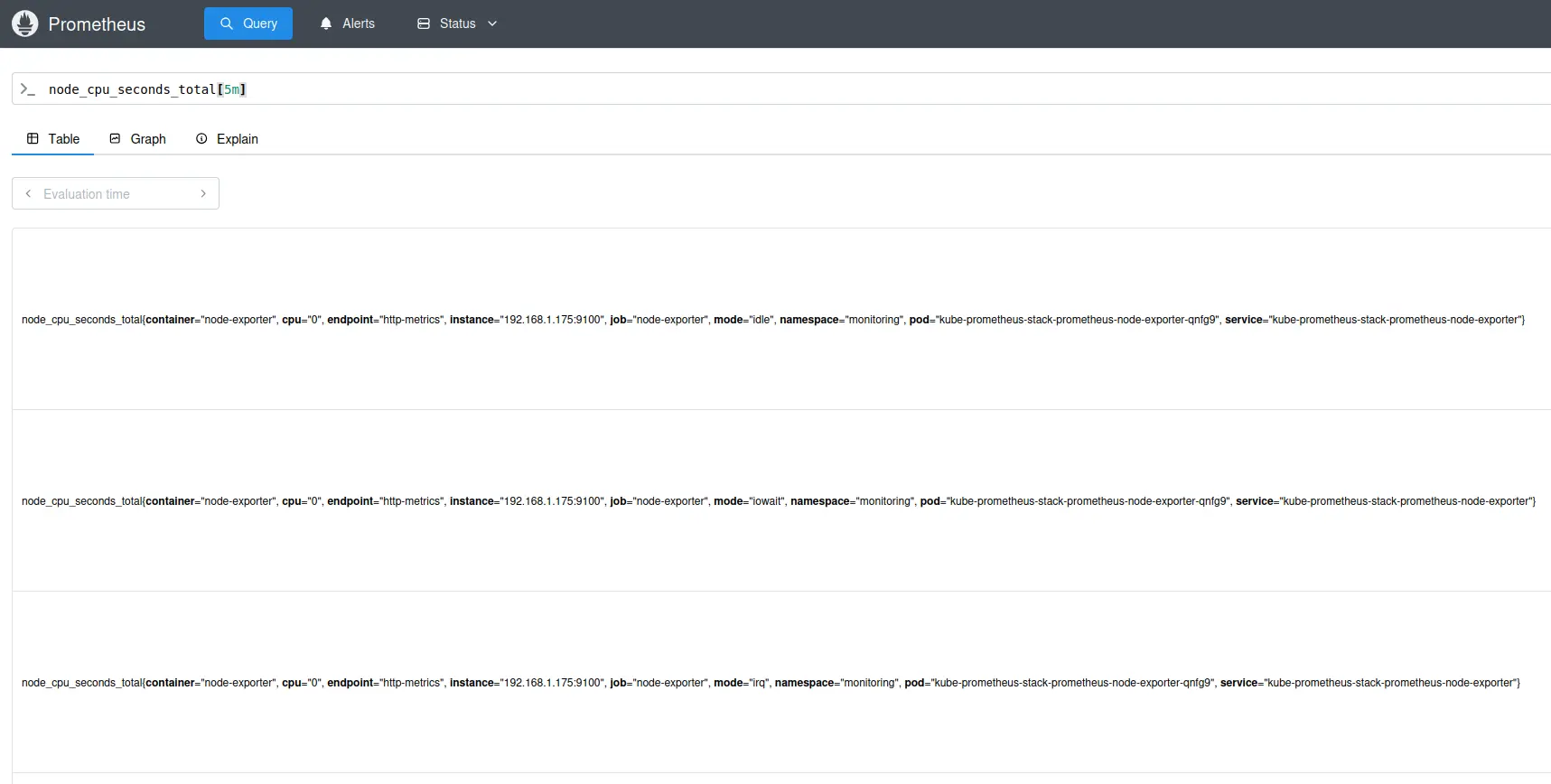
For more in depth metrics, I'm using Prometheus as my metric aggregator. I deployed this with the kube-prometheus-stack, which automatically starts tracking all sorts of metrics from the kube-system namespace. This gives me more detailed logs than I can see with headlamp, and it can be used to gather metrics from other services that I may setup in the future.
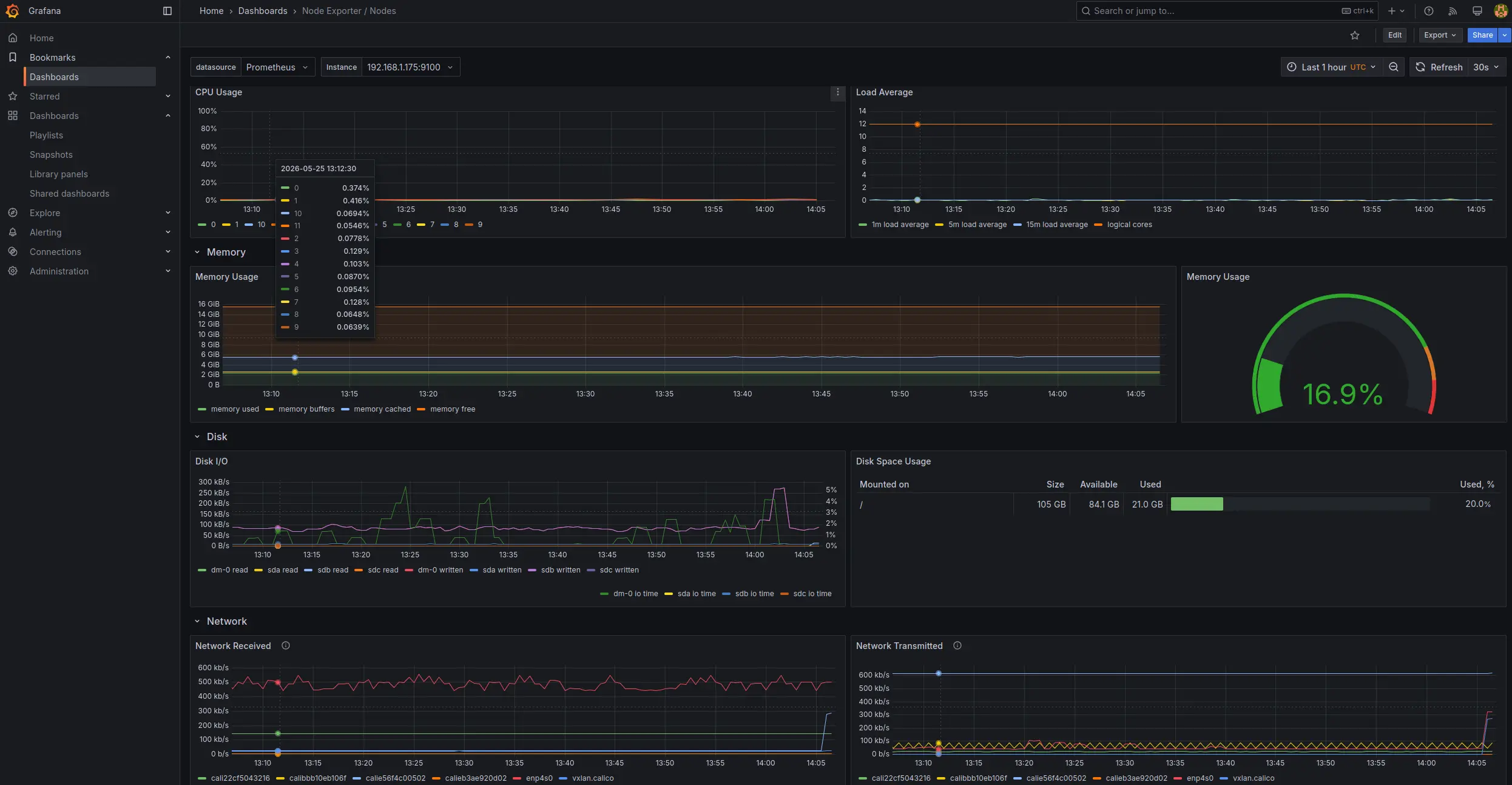
With the kube-prometheus-stack I also get Grafana for my metric dashboard. It comes with a bunch of pre-configured dashboards, and connects to Prometheus for metrics. This also will allow me to create monitoring dashboards for my other applications later.
Storage
I didn't include storage solutions in the diagram. Most robust storage solutions like longhorn, root + ceph, or OpenEBS recommend at least 3 nodes and can take up a lot of resources, so all I'm doing right now is setting up NFS.
Wrapping Up
Overall I'm pleased with the progress. There is way more that I still want to dig into, but I thought this was a good stopping point for now. With all of the recent GitHub issues, I want to look into self hosting Gittea, and in general I want to try out sealed secrets, fluxcd, kustomize, and software for OpenWRT.
Everything has been setup recently, so the real test will be once I start deploying more resource intensive applications on my system.